Build log
What’s getting built. And what isn’t.
Roughly once a month, I’ll note what’s working, what broke, and what’s next. The extension is live on the Chrome Web Store now; the desk it feeds still ships in 2028, and I’d rather show the work than pretend it’s further along.
Updated monthly · latest: July 2026
Margin stands on its own now. The desk is still the plan.
For a while, Margin only really made sense with the device. That changed this month. The browser version does real work on its own now: a free tier, plus a Pass that covers your whole term. It’s in a small private beta while I get it ready for the Chrome Web Store.
- A real free tier. Once it’s on the store, you install it and the next week of your Canvas and calendar work shows up on your dashboard and in Todoist. No account, no card.
- A Pass for the whole term. The new Semester tab shows everything due across the semester, and tells you when a professor moves a date. It’s in the beta now.
- Fixed a sync bug before it could bite anyone. In testing I found a way a calendar feed and Todoist could bounce a task back and forth and pile up copies. I caught it before it hit a real account, and the same task can’t get written twice now.
- Went through the Canvas sync with one rule: never show something done unless it really is. Six fixes came out of that.
- Getting it ready for people. Better handling of the security keys, a setup guide that installs from a zip, a support email, and a small private beta I’m signing people up for. The store submission is nearly packed.
- Boring but it matters: the waitlist runs on EU servers now, and I’m moving the license server’s backups off the machine, encrypted.
Next: get the beta to real students, finish the store listing, and keep working on the desk it’s all for.
Margin runs in a browser now. The device is still the point.
The first half of June was the device on my bench. The second half turned into something I hadn’t planned this year: a way to use Margin with no device at all, in a browser tab.
- Margin runs in your browser now. A free Preview takes a syllabus you paste or upload and lays out the next two weeks of it, with the rest of the term behind the Pass. A paid Margin Pass looks further ahead than your school’s site does, and flags when a due date moves. Both keep your coursework on your own machine. The price and the reasoning are on the pricing page. The plan hasn’t changed: start in the browser this fall, and the device on your desk is still where this is headed.
- The syllabus reader went from a guess to something I trust. I checked it by hand against fifteen real syllabi: 25% right at first, about 96% now. My favorite bug: it kept sneaking a space into dates pulled from PDFs, so “9/23/24” became “9/ 23/24” and landed on the wrong day. One fix sorted most of it.
- Fixed a Todoist sync issue. Syncing had quietly broken without my noticing. It works again, and the device stopped going offline every hour.
- A check-up for the beta units. One command now gives me a plain status readout, so when a tester says it’s stuck I can see what’s wrong instead of guessing.
- The case got modeled, not built. I modeled the whole enclosure in 3D this month, but haven’t printed one, so the specs-page dimensions are still estimates. Closer than last month, but still nothing to hold.
Next: print the model and put one together, and get the free Preview in front of the first testers before fall.
Setup got a lot simpler. And the screen got sharper.
May was the guts working, with no case. June was everything between you and the guts: getting your accounts onto the device without a fiddly hand setup, and making the dashboard easy to read.
- Sign-in came together. You sign in through the plugin and your device pairs to your account from there: push per-device settings (theme, timezone, your city for weather), trigger a sync or restart remotely. The handshake that used to be the worst part of setup is a couple of clicks now.
- No more API keys. The backend holds your Todoist token, encrypted, and hands it to your device automatically. The old step is gone: pasting a long key onto the Pi by hand, easy to mistype and easy to leak. You authorize Todoist once in the plugin. Your assignments still never pass through us; only the token does, encrypted.
- A sharper bench panel. Beta units moved to a Pimoroni Inky Impression 7.3": four buttons on the board, seats straight onto the Pi, no nest of loose wires. All five themes render natively on it. The device that ships is still the 5.83" Good Display panel on the specs page; the Inky is a faster beta rig, not the final product.
- A legibility pass. A new text-rendering routine and a color overhaul tuned for the Inky panel: pure primary inks instead of muddy dithered blends. The dashboard’s readable at a distance now, not just up close. The themes also evened out. Papyrus and Workspace gained the weather strip, course colors carry through everywhere, and Workspace dropped the [HW] [Canvas] prefixes cluttering task titles.
- A lighter renderer. Memory down about 44%, runtime down about 20%, and a frame-diff guard so the panel skips redundant refreshes: less flicker, less power. Beta units now pull updates over the air, so a fix ships to a tester without touching their device.
- An import audit. Fixed bugs in the Canvas and iCal pipelines (recurring-event edge cases, Canvas pagination, a mixed-timezone sort crash in Workspace), all with tests so they stay fixed. Beta sync cadence is now every fifteen minutes.
Next: the first 3D-printed bezel and housing, the thing May promised. The first one will be ugly, and it will be here.
The guts work. There’s no case yet.
First entry. Here’s exactly where things stand at the end of May 2026.
- The pipeline runs end to end. A prototype on my desk pulls assignments through the browser plugin into Todoist, and the panel renders the day from that. The syncing is the part people assume is hard. It’s the part that already works.
- No enclosure yet. The electronics are bare on the bench. The finished-looking device elsewhere on the site is a drawing of the finished design, not a photo of what’s on my desk. Until I’ve printed a housing, the specs-page dimensions stay estimates. When there’s a real one to photograph, it’ll show up here.
All five themes already work. These are real renders from the dashboard, not mockups, of the same week in each:
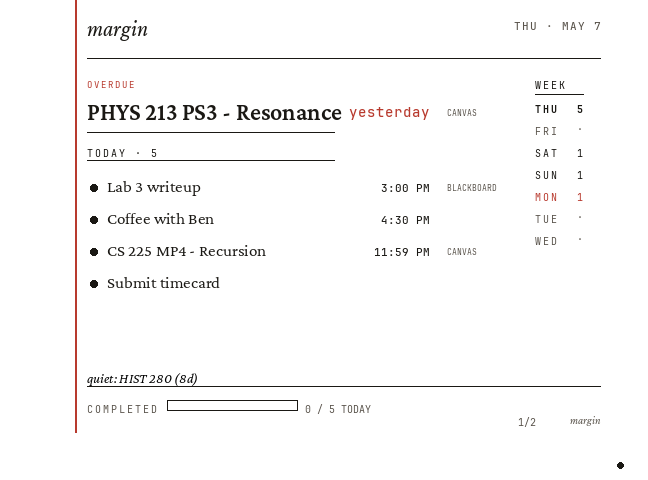
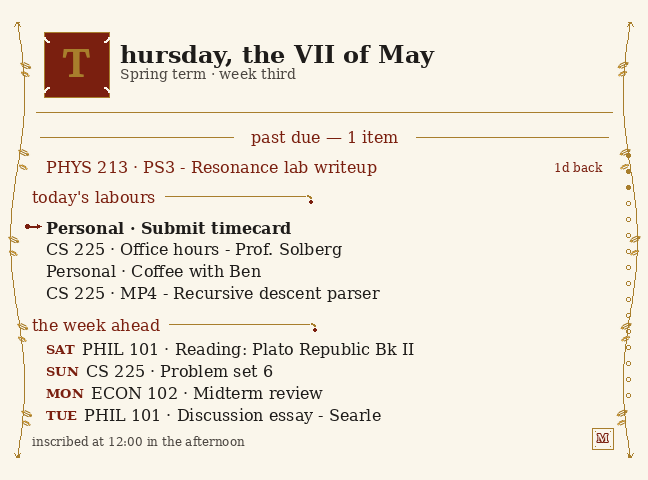
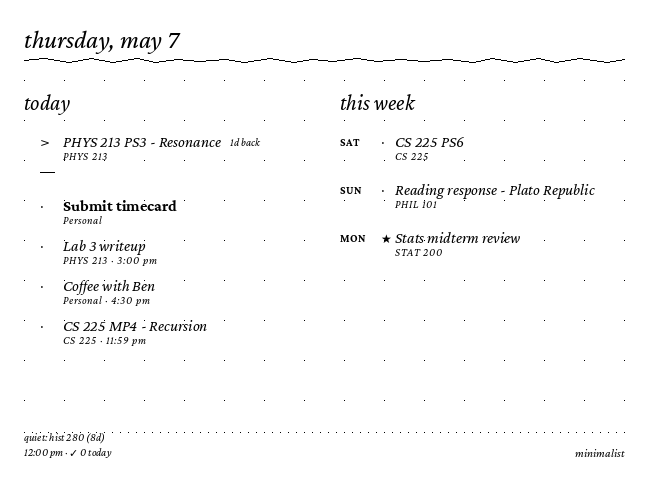
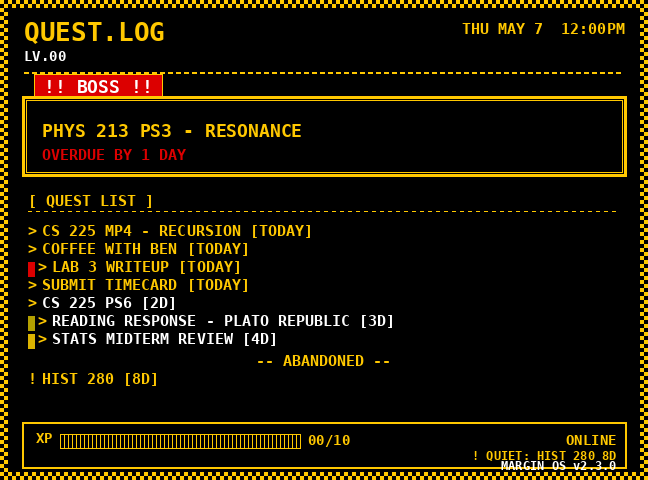
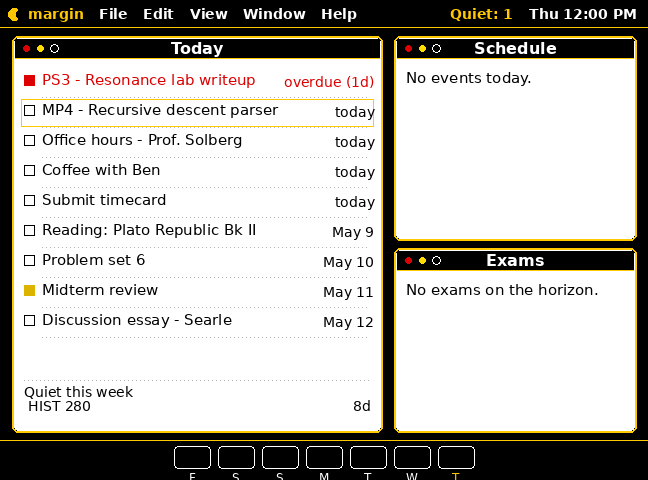
Next: a 3D-printed bezel and housing to live with before I commit to the machined aluminum. The first one will be ugly. It’ll be here next month.
Reading along is free. So is the extension — it’s on the Chrome Web Store. The waitlist is one field