Margin Study
Exams, topics, and where the next block goes.
Margin Study is a page of its own in the Margin extension, for the exams in your courses. It finds them, fills in their topics, and keeps a rough estimate of how ready you are. It is free.

How it works
-
Pick a course.
Margin fills in its topics from Canvas, a syllabus PDF, or an AI of your own, and you tick the ones to keep. With an AI, you copy a prompt and paste the answer back. Margin runs no model; the prompt goes only where you paste it.
-
Confirm an exam.
Margin spots the likely exams among your assignments and any syllabus you import, and asks. Or add one yourself. Then tick the topics it covers.
-
Study the next block.
Each exam shows the topics to study next. Start today's block, and after it, say how it went: got it, shaky or stuck.
The estimate
About 50% ready. An estimate.
Each exam has a ring. It rests on the checks you record and, with the Pass, on your Canvas homework scores. The free estimate is worked out in your browser. It is an estimate, never a grade.
A shaky topic is not a mark against you. It is where the next block goes. There are no streaks, and nothing counts what you skipped.
The snail
A snail on the page.
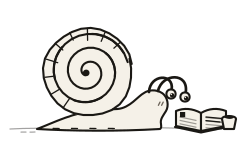
A small snail keeps the page. It reads while a study block runs, rests between blocks, and sleeps on a day with nothing planned. It never gets sad and keeps no score.
Dress it in Settings, under Margin Study, or try one here.
Circles
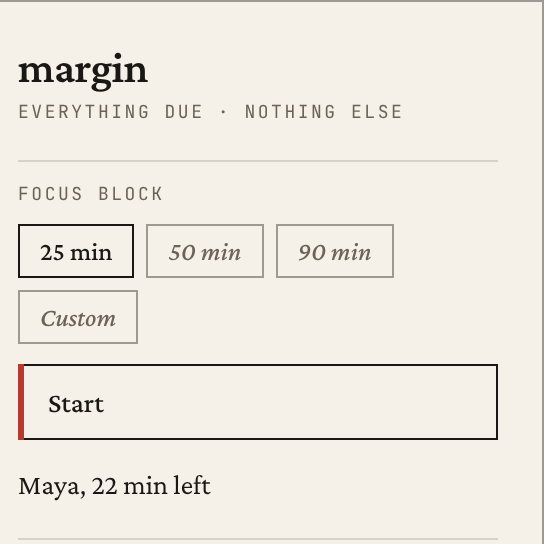
Who is in a block. Nothing else.
A circle is a few friends who can see when each other is in a focus block, and how long is left in it. Start a block from the popup, or let your circles see your Study blocks. They see that you are working, not what.
Up to four people share a circle. A friend joins with an invite link from the circle's owner, which works once within seven days, and a free Google sign-in. Starting a circle is limited for now. What Circles keeps, and for how long, is in the privacy policy.
Free and the Pass
The Study page, its topics and exams, the estimate, today's block and the snail are free.
The Margin Pass adds your Canvas homework scores to the estimate, and Study sync: a plan of blocks across the coming days, which Margin can also write to your Todoist, each block a task with a date and no time. Sync is off until you turn it on. What it sends, and what Margin keeps, is in the privacy policy.
You can export your study data, import it, or delete all of it, from the page.
Add Margin to Chrome (opens in a new tab)
A free extension, on the Chrome Web Store. Open Margin Study from the popup or from Settings.